CONNECTED ATTENDANCE. CLEARER DAYS.
Every punch.
Every person.
One clear picture.
Biometric attendance software that brings your devices, people and workplaces together. Know who’s in, understand the day, and put your reports to work.
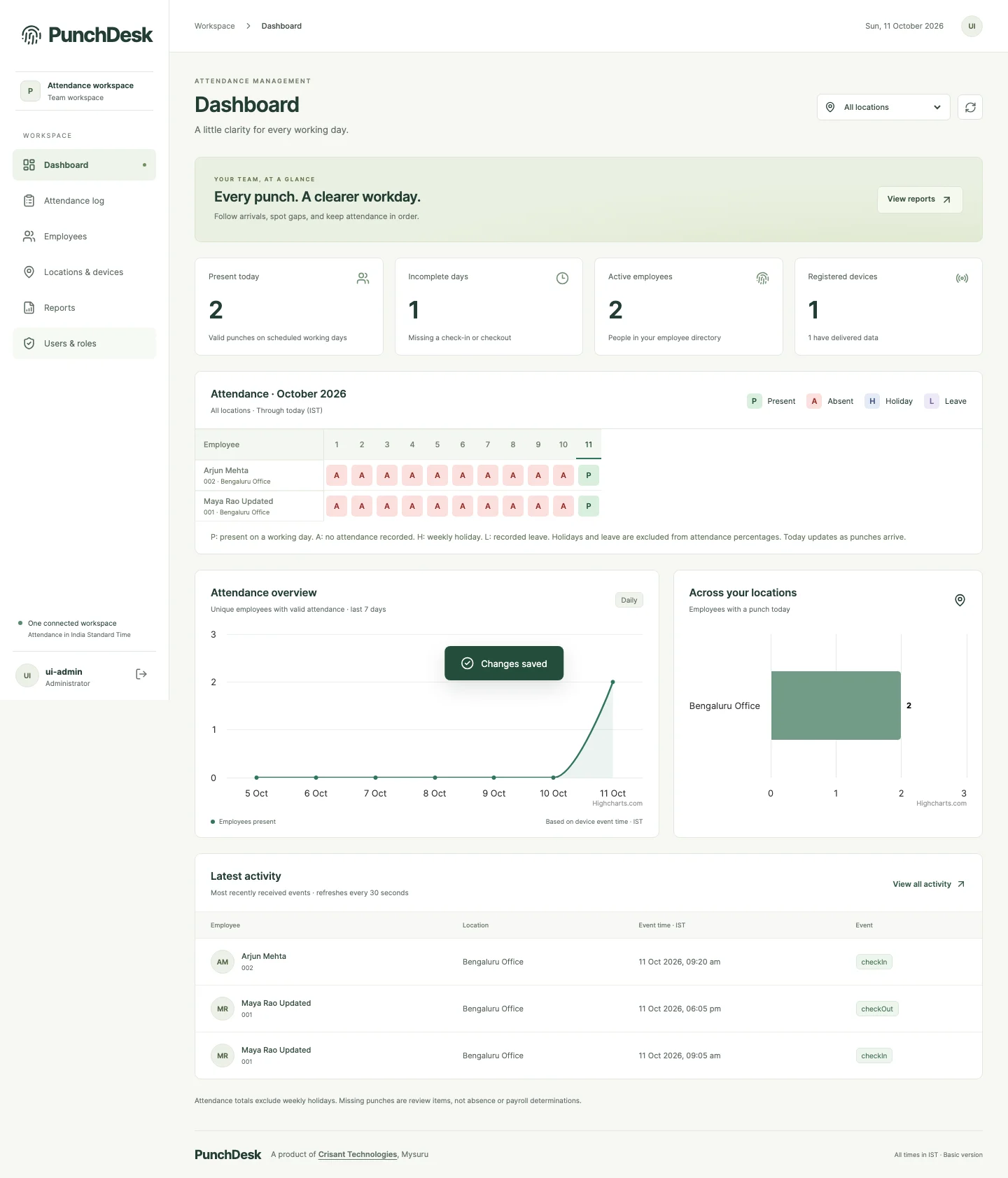
Ready to review.CSV / EXCEL / PDF
TO THE BIGGER PICTURE.
LESS CHASING. MORE CLARITY.
Your attendance data
has a job to do.
A punch on a machine shouldn’t end in another spreadsheet.
Bring scattered attendance records into a shared workspace. PunchDesk connects compatible biometric terminals to employee histories, branch-level views and useful reports, so your team can spend more time acting on information and less time assembling it.
Follow a punch through PunchDeskBUILT FOR THE WHOLE WORKDAY
The detail you need.
The clarity you want.
From offices and branches to institutions and facility teams, keep the people, places and rules behind attendance in view.
Biometric attendance
Connect compatible fingerprint and face terminals. Map each device to its workplace and keep the original punch time.
One view. Every location.
Review branches together or focus on one workplace. Give managers access to just the locations they look after.
Employee history
Explore attendance trends, daily check-ins and checkouts, leave and the individual punches behind each day.
Leave & working days
Record approved full-day leave, set a weekly holiday, and surface missing punches or leave overlaps for review.
Flexible job roles
Set employee defaults and assign one or several roles for a day. Earlier assignments stay intact when defaults change.
Access with boundaries
Administrator, Manager and Viewer permissions are enforced by the server across screens, reports and exports.
Your workplace rules
Choose device-labelled check-in/out or a daily first-and-last-punch calculation. Configure event acceptance separately.
Connected to your systems
Read attendance through scoped API keys or forward new device events with queued HTTPS webhooks and delivery status.
REAL-TIME, WITH CONTEXT
From a punch
to a useful update.
Device events travel directly to PunchDesk. Accepted records feed attendance calculations, subscribed mobile alerts and configured integrations.
The activity view refreshes every 30 seconds. If a terminal reconnects with a backlog, original event times help you distinguish when a punch happened from when it arrived.
Timing depends on device connectivity, queued replay and notification delivery services.
A verified punch
A compatible terminal captures the employee, verification method and original event time.
09:05:12Original punch time, preserved.TAKE A LOOK INSIDE
A workspace that makes sense of the day.
Start with the team. Drill down to a person, a date and the punches behind it.
Actual application captures · Demonstration data · Select a preview to explore the full image
OCTOBER 2026 · FICTIONAL DATA
A month, made clear.
Illustrative summary · Daily span is not paid hours
REPORTS, WITHOUT THE REASSEMBLY
Calculated automatically.
Ready when you are.
Turn accepted punches into daily attendance using each location’s rules. Choose your date range, review exceptions and export a consistent record.
- Team attendance in CSV
- Employee history in Excel and PDF
- Summary, daily records, leave and job roles
- Custom ranges up to 366 days
Need scheduled delivery to your own system? Use the attendance API to automate retrieval, or ask Crisant to scope a reporting workflow.
YOUR WORKPLACE, WITH YOU
Away from your desk.
Still in the picture.
Use the PunchDesk Android app to review your team, investigate an attendance record and share reports while you’re on the move.
Follow the people who matter to your role.
Managers and administrators can subscribe to check-in and checkout alerts for all authorized employees or selected people. Allow notifications on your phone, set your preferences, and let queued push delivery keep you informed.
Organization account required. Store availability may vary by release and region. Alerts require permission and connectivity.
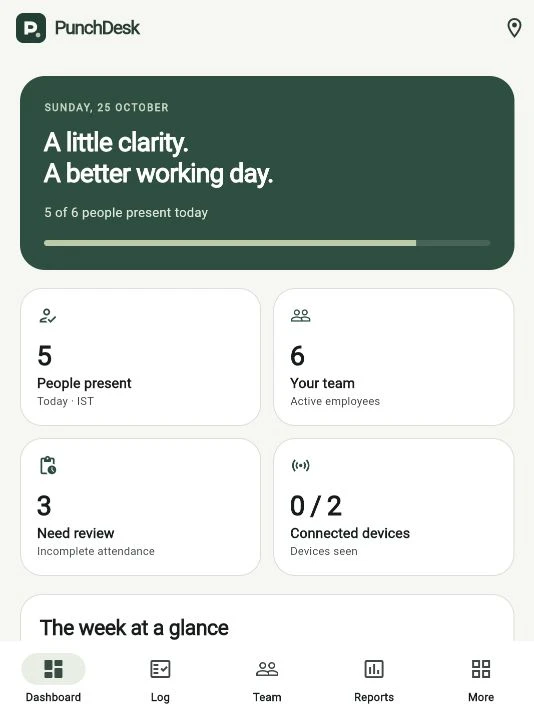
Check-in · Sample employee
Your selected team. Your updates.DEVELOPER FRIENDLY, BY DESIGN
Your attendance.
Your ecosystem.
Connect PunchDesk to your HR platform, internal dashboard or custom application. Pull the records you need, or receive new accepted device events as they arrive.
// Example request · use your scoped key
GET /api/v1/attendance
    ?from=2026-10-01
    &to=2026-10-31

Authorization: Bearer <API_KEY>

// Also available
GET /api/v1/locations
GET /api/v1/presencePull on your schedule
Paginated attendance endpoints and bounded date ranges make recurring data retrieval straightforward. Your application controls its schedule.
Push with delivery visibility
HTTPS webhooks queue new accepted direct-device events with retries and status tracking. Build your receiver to handle repeated delivery safely.
Respect the meaning of the data
Presence is inferred from directional punches. First/last locations report unknown presence. Historical imports and duplicates are not forwarded as new events.
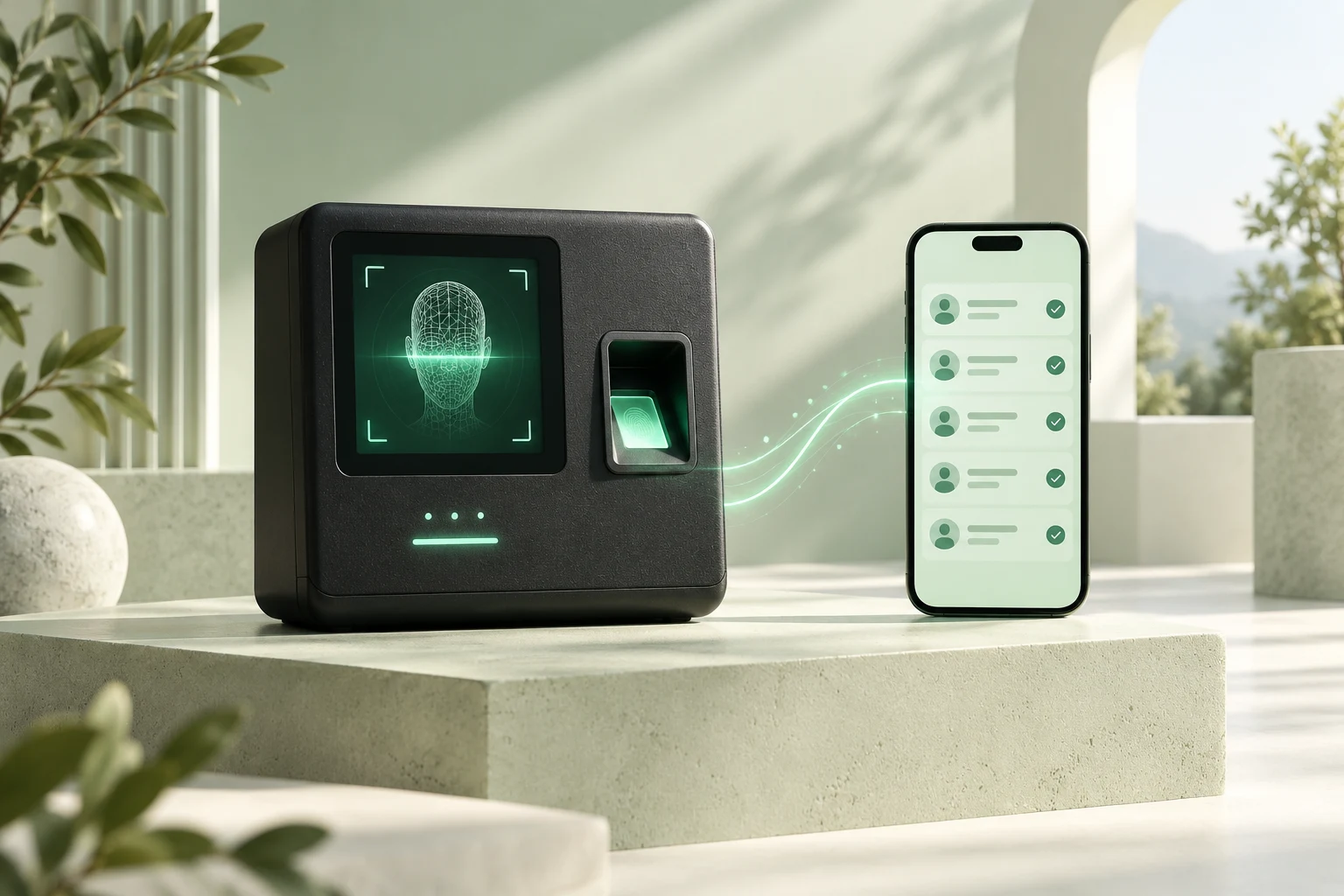 Concept illustration · Hardware selected after compatibility review
WHY PUNCHDESK. WHY CRISANT.
One team behind
the whole connection.
Hardware understanding meets software that fits.
Device setup, record processing, reporting and client integrations belong to the same conversation. Crisant works with you to connect those pieces, investigate exceptions and adapt the agreed workflow.
- Source punches remain available for review
- Location rules reflect different workplaces
- Web and Android access share permission boundaries
- A pilot validates the setup before wider rollout
FROM YOUR REQUIREMENTS TO YOUR FIRST WORKDAY
Configured around your organization.
Discover
Share your headcount, locations, terminals and attendance needs.
Configure
Agree hardware compatibility, rules, access and integration scope.
Validate
Check real punches, reporting and permissions in a focused pilot.
Roll out
Equip your administrators with training and agreed ongoing support.
A FEW GOOD QUESTIONS
Before your
first punch.
Can PunchDesk work with our existing biometric machines?
We review the model, firmware, event format and connectivity before confirming compatibility. The project includes verified Hikvision DS-K1T321EFWX-B and DS-K1T320EFWX-B integrations. Ask Crisant to assess your existing terminals or help select new hardware.
How real-time is the attendance information?
Compatible devices push events to the server as connectivity allows. PunchDesk processes accepted records automatically; the web activity view refreshes every 30 seconds. Device backlog, network conditions and phone delivery services can introduce delays. Original event time remains available alongside receipt information.
How do Android notifications work?
Authorized managers and administrators choose all accessible employees or a selected group and allow notifications on their Android device. Newly accepted supported check-in and checkout events enter the notification queue. Delivery uses Firebase Cloud Messaging and depends on connectivity, permissions and device settings. Historical imports do not generate the same live alerts.
Are attendance reports automated?
Daily attendance summaries are calculated from accepted records using the location’s rules. Users choose a date range and download CSV, Excel or PDF reports. Scheduled email reports are not part of the current standard feature set; Crisant can scope an automated reporting workflow using the integration API.
Can we integrate PunchDesk with HR, payroll or our own software?
Yes. The documented read-only API provides permitted locations, date-range attendance and inferred presence. Administrators create location-scoped Bearer keys with optional expiry, rotation and revocation. Outbound HTTPS webhooks can also deliver new accepted direct device events, with retries. Payroll rules and custom integrations are agreed separately.
Does it calculate salary, overtime or paid working hours?
PunchDesk focuses on attendance evidence and reporting. Daily span is elapsed time from first check-in to last checkout, not paid working time. Break deductions, payroll, complex shifts and overnight pairing need separately agreed rules. Missing punches remain review items.
What can be customized for our organization?
Location access, event acceptance, supported attendance calculation, weekly holidays, job roles and webhook destinations are configurable. Crisant can scope additional reports, integrations and workflows around your requirements, with compatibility checks and a pilot before rollout.
LET’S CONNECT YOUR WORKDAY
Less guesswork.
A clearer day starts here.
Tell Crisant about your team and current setup. We’ll help you explore the right PunchDesk deployment.
+91 77568 73424